


 Homepage
  Learning Materials
  Geographical Referencing Learning Resources
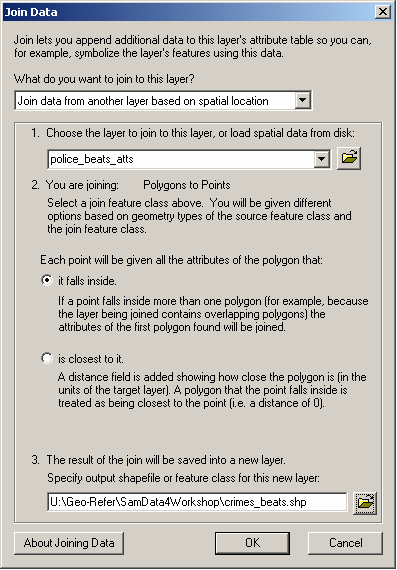
First, specify that you want to "Join data from another layer based on spatial location" and then select the layer which you wish to join to this layer i.e. select the police_beats_atts layer. The dialog box will confirm that you are joining polygons to points, which is correct.
Second, specify that you wish "each point to be given all the attributes of the polygon that it falls inside".
Third, specify a suitable pathname and filename for the output file e.g. crimes_beats.shp, ensuring that the file will be saved as type "shapefile". Note that you should specify a different name to the input file.